
Part 1: Hardware
With only 5 months left till many students join university the race is on to get organised. And where better to start than with hardware. It would be nigh on impossible for you to get though university without going near a computer. So why leave your open source life at home? You home PC is probably running a Linux Distro or at the least some opensource software so why shouldn't your laptop? So what are the best laptops to buy that either come with Linux or are easy to add Linux to.
1st up is the Asus EEE Pc this laptop steals the show on portability and price. Prices start at £219 for the 4G Surf model which features a 4GB SSD (Solid State Disk) and 7 inch screen but no webcam. More expensive models have a webcam, larger SSD and a larger screen. The laptop comes with a modified version of the Xandros distro which has a very simple user interface but a one line command to teminal will give you a full IceWM desktop. All the normal free software is included such as firefox, openoffice and skype along with a number of educational programs and a webcam capture program.
If you don't like the eee pc's small keyboard and screen but don't want to spend a lot more then you might consider Dells offerings on Ubuntu based PCs. For an extra £80 you can have a 15.4" widescreen, full sized keyboard, 80GB hard drive and an 8xDVD+/-RW drive. This set-up comes with Ubuntu 7.10 pre-installed meaning that all the hardware works! You can customise your laptop easily with Dell's "Build your system" erm... system meaning you can add bluetooth, a 2MP webcam more ram etc. really easily.
If you don't like buying something opensource from a giant like Dell or would like to spend a bit more on you laptop then one make has always been synonymous with laptops and Linux is the Thinkpad originally made by IBM the franchise is now owned by Lenovo. Now apparently they sell the Thinkpad T61 with Suse pre-installed but I've just spent the last hour trying to find the option for this but to no avail. In frustration I have now submitted feedback asking whether they still support Suse and if so where the option is. According to Linux format magazine they picked up a thinkpad for £425 with Suse included.
I'll update this post if and when Lenovo get back to me!
Update: Well Lenovo never did get back to me so at this point your best bet for a laptop with Linux pre-installed on it is going to be the Eee PC or Dell.
Saturday, 19 April 2008

Monday, 24 March 2008
Time for change
I haven't posted for a while because I'm very happy with my desktop. Until recently, when I found myself yearning for a dock, of all things. I have objectdock plus installed on my Vista partition and I used to use it a lot.
So being Linux I knew that someone will have made something similar for our OS. The two main docks are Kiba dock and AWN. I plumped for AWN as Kiba seems hugely difficult to install.
The installation only took 10 minutes and involved nothing more complicated than tapping a few commands into terminal.
And the result of fiddling with terminal for a bit is a hugely functional dock which even supports my last.fm account!


So being Linux I knew that someone will have made something similar for our OS. The two main docks are Kiba dock and AWN. I plumped for AWN as Kiba seems hugely difficult to install.
The installation only took 10 minutes and involved nothing more complicated than tapping a few commands into terminal.
And the result of fiddling with terminal for a bit is a hugely functional dock which even supports my last.fm account!


Saturday, 9 February 2008
A gamer huh? Well you won't want linux then!
For years Linux was for geeks. But no longer, the installation process is easy (on some distros it is easier than windows) and the GUI (graphical user interface) is simple to use and easy to understand.
But still people pick Windows. One reason for this is proprietary software like iTunes but one market we're missing out on is the gaming market. Windows still rules supreme among gamers but the truth is that Linux is the ONLY operating system that can use the latest hardware to its full potential. In 2007 Linux Format Magazine built a astronomically powerful gaming rig and ran Linux on it without a single hiccup, but aside from Planet Penguin Racer there are very few 3d games for Linux. Until now...
Cue Eve online... Eve online is a space based MMORPG (massive multiplayer online roleplaying game) It allows players to explore a giant universe of possibilities and it currently has 200,000 players all of whom play in the same universe, no sharding (where you are put on different servers). The game is as infinitely complex as real life, you can be a merchant, soldier, explorer or any number of other things. And the best bit is, it runs on Linux as well as Mac and PC. The installation was easy, you install the package from http://www.eve-online.com which then downloads and installs the game client:

Then you go back on the site and register for a 14 day free account, just so you can decide if you like it or not, then your ready to start playing. In ubuntu Eve automatically placed itself in the applications menu under games. Click this and up comes the game client, just log in with the account you just created and make your 1st character (you can have 3):
 A space game running in space!
But still people pick Windows. One reason for this is proprietary software like iTunes but one market we're missing out on is the gaming market. Windows still rules supreme among gamers but the truth is that Linux is the ONLY operating system that can use the latest hardware to its full potential. In 2007 Linux Format Magazine built a astronomically powerful gaming rig and ran Linux on it without a single hiccup, but aside from Planet Penguin Racer there are very few 3d games for Linux. Until now...
Cue Eve online... Eve online is a space based MMORPG (massive multiplayer online roleplaying game) It allows players to explore a giant universe of possibilities and it currently has 200,000 players all of whom play in the same universe, no sharding (where you are put on different servers). The game is as infinitely complex as real life, you can be a merchant, soldier, explorer or any number of other things. And the best bit is, it runs on Linux as well as Mac and PC. The installation was easy, you install the package from http://www.eve-online.com which then downloads and installs the game client:

Then you go back on the site and register for a 14 day free account, just so you can decide if you like it or not, then your ready to start playing. In ubuntu Eve automatically placed itself in the applications menu under games. Click this and up comes the game client, just log in with the account you just created and make your 1st character (you can have 3):
 A space game running in space!
Saturday, 26 January 2008
One Step Beyond!
OK, the only reason I still have Vista on my hard drive is because I own an iPod and because Apple in its infinite wisdom decided to make the entire device proprietary. As a result I have to run iTunes in order to get music onto my iPod.
Now there are a few possibilities when it come to running iTunes on Linux. The first would be for apple to make a version of iTunes for Linux, an idea that went up in flames when Apple went with DRM (Linux is far too open source). The second possibility is WINE (standing for Wine Is Not an Emulator) this program creates a windows compatibility layer between Linux and the program you are trying to run.
The program works a treat on most old programs, yeh OLD programs, this is fine if, like me, you learned web design, animation and image manipulation on Studio MX but if you need some of the newer iterations your stuffed! At one point the WINE team got iTunes working, but Apple are bringing out updates for the software so often that it wouldn't be viable for the team to try and keep up. If you have an old iPod (pre this generation, I think) then this option might be good for you.
I, however, went out and bought an iPod Touch the newest of the new. An iPod which wont run on any previous incarnations of iTunes. So whats my solution? VirtualBox.
VirtualBox is free Virtualization software which allows you to run an OS from inside an OS. This means I can run a full blown copy of XP inside Linux! At the moment of writing this I've still got some tweaking to do (such as install iTunes and figure why everything is running so slow!) but I'll get some screenshots up in a few hours.
UPDATE: I spent hours trying to get it working but only ended up in a frustrated mess of linux and windows command lines! So I've given up! I'll wait for WINE to support iTunes 7.whatever! In the mean time iTunes is still a reason to keep a windows partition :-(
 Compiz Fusion + Windows!

Boring... I hate waiting!
Now there are a few possibilities when it come to running iTunes on Linux. The first would be for apple to make a version of iTunes for Linux, an idea that went up in flames when Apple went with DRM (Linux is far too open source). The second possibility is WINE (standing for Wine Is Not an Emulator) this program creates a windows compatibility layer between Linux and the program you are trying to run.
The program works a treat on most old programs, yeh OLD programs, this is fine if, like me, you learned web design, animation and image manipulation on Studio MX but if you need some of the newer iterations your stuffed! At one point the WINE team got iTunes working, but Apple are bringing out updates for the software so often that it wouldn't be viable for the team to try and keep up. If you have an old iPod (pre this generation, I think) then this option might be good for you.
I, however, went out and bought an iPod Touch the newest of the new. An iPod which wont run on any previous incarnations of iTunes. So whats my solution? VirtualBox.
VirtualBox is free Virtualization software which allows you to run an OS from inside an OS. This means I can run a full blown copy of XP inside Linux! At the moment of writing this I've still got some tweaking to do (such as install iTunes and figure why everything is running so slow!) but I'll get some screenshots up in a few hours.
UPDATE: I spent hours trying to get it working but only ended up in a frustrated mess of linux and windows command lines! So I've given up! I'll wait for WINE to support iTunes 7.whatever! In the mean time iTunes is still a reason to keep a windows partition :-(
 Compiz Fusion + Windows!
Boring... I hate waiting!
Friday, 11 January 2008
All you internet video belong to us!
When I was a Windows user I stumbled across Democracy Player (now Miro) the program is just a video program that supports almost all video formats you can think of. I downloaded and installed it but at the time was unimpressed. I'm still however on their mailing list and now that the program is 1.1 I thought I'd give a another shot.
Installation seems easier on Ubuntu that it was on Vista, just a case of adding a repository and searching for the name of the program. (I love synaptic!)

The program then asked me where to search for media, I picked my Vista hard drive because thats where all my media is. Then after sorting through the files it could and couldn't play (when the program can't play a file it offers to play it through an external program instead) and the ones I didn't want cluttering up my playlist (like the raw footage from my YouTube videos) I started looking at the programs most impressive feature...

Internet TV, in a few clicks I had downloaded the latest episode of Spriggs (A Halo 3 machinima) from YouTube thats something you can' t do natively with YouTube!

Another great feature is Miro Guide which is basically video podcasting, within 3 minutes I'm subscribed to Cnet TV's Buzz Report just like in iTunes on Vista (But with fewer bugs!)
Linux is probably not going to get a all in one replacement for iTunes any time soon, but for all your video podcasting needs Miro is a brilliant program. I'm one step closer to ditching Windows for good!
P.S. Sorry about the stupid screenshot window in the pics obviously theres a timer function for a reason!
Installation seems easier on Ubuntu that it was on Vista, just a case of adding a repository and searching for the name of the program. (I love synaptic!)
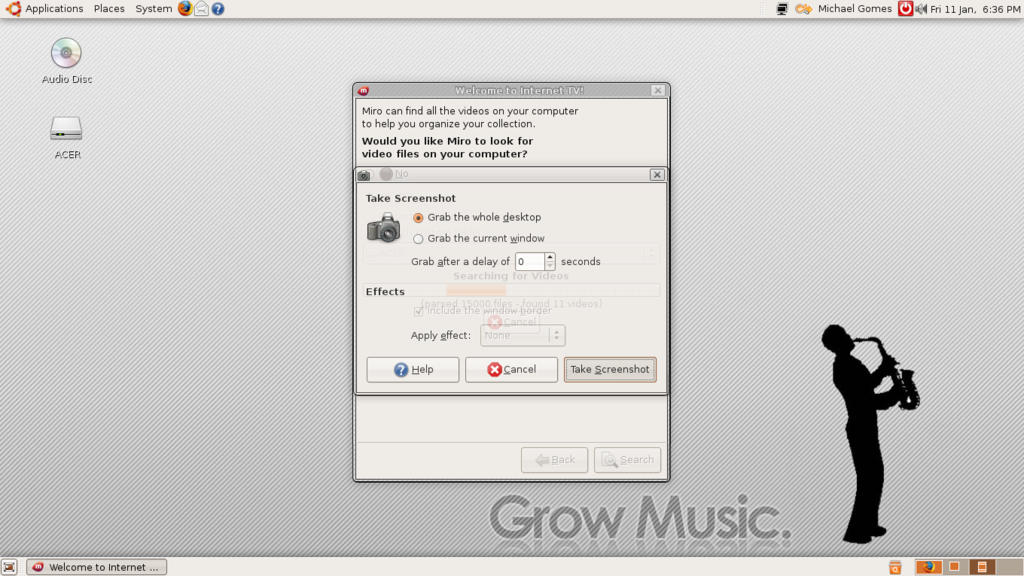
The program then asked me where to search for media, I picked my Vista hard drive because thats where all my media is. Then after sorting through the files it could and couldn't play (when the program can't play a file it offers to play it through an external program instead) and the ones I didn't want cluttering up my playlist (like the raw footage from my YouTube videos) I started looking at the programs most impressive feature...
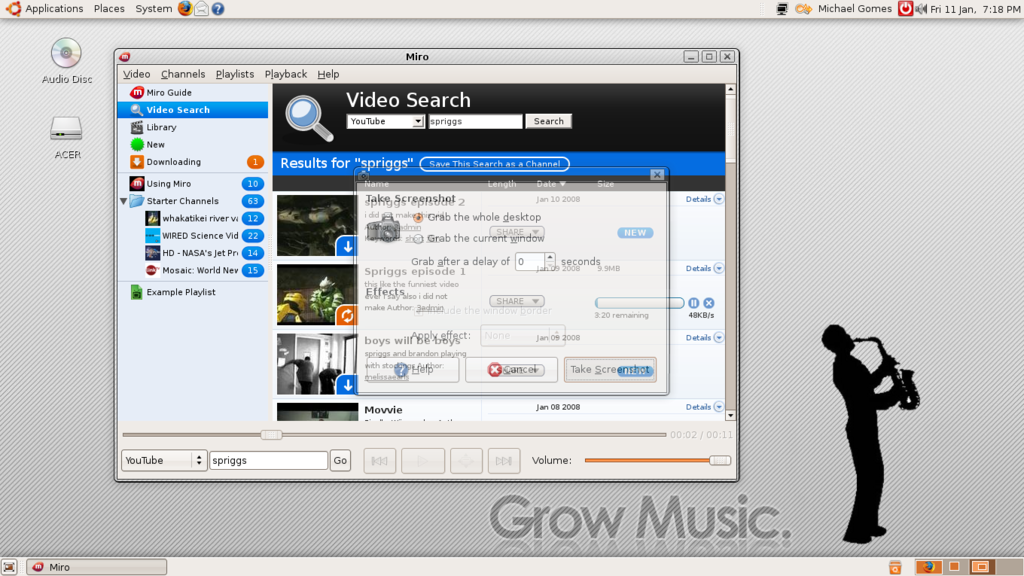
Internet TV, in a few clicks I had downloaded the latest episode of Spriggs (A Halo 3 machinima) from YouTube thats something you can' t do natively with YouTube!
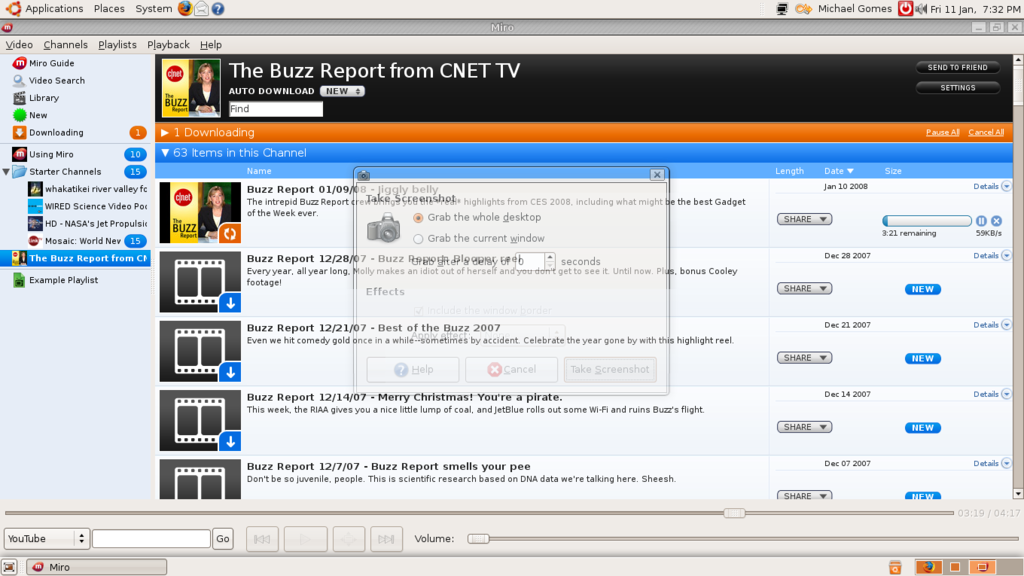
Another great feature is Miro Guide which is basically video podcasting, within 3 minutes I'm subscribed to Cnet TV's Buzz Report just like in iTunes on Vista (But with fewer bugs!)
Linux is probably not going to get a all in one replacement for iTunes any time soon, but for all your video podcasting needs Miro is a brilliant program. I'm one step closer to ditching Windows for good!
P.S. Sorry about the stupid screenshot window in the pics obviously theres a timer function for a reason!
Saturday, 5 January 2008
Compiz Fusion goodness!
One LiveCD, Sabayon, ran perfectly on my mates laptop (Beryl and all) when I had to run it in safe graphics mode on my blindingly fast Vista machine! I understand now that even powerful laptops use fairly standard hardware so the developers of Sabayon were able to make it fully compatible with most laptops. In contrast desktops can have millions of different pieces of hardware in even more different configurations!
I had heard good things about Ubuntu so I asked for a free CD (A good way of getting into Linux without downloading the ISOs for hours) but the 6.2 disk I ordered wouldn't even run! Luckily they fixed this in 7.10 and I'm very happy with my installation of Gutsy Gibbon! As you can see from the screen shots below I got Compiz Fusion running, without much trouble, and I even have it optimized for my 32" LCD TV.
Although it was far easier to get Vista configured for my TV when you configure something in Linux you feel like you've achieved something, windows always seems to molly coddle a user holding their hand through every option with Linux you feel in control, powerful but still safe. I tried installing the screenletts sidebar recently and nearly broke Ubuntu, but the safety mesh stepped in and told me that what I was trying to do was dangerous long before I did any damage.
But if Ubuntu's so great why do I still have Vista? One word iTunes, I've got an iPod Touch which requires iTunes 7.5 (or whatever the latest version is) to sync but wine (a windows compatibility layer) doesn't support it yet. You can get the touch to sync with Amarok but it involves a lot of work and at the moment I'm quite happy to wait for the wine developers to do their magic.

Now my windows are wobbly

And my desktop cubed!
I had heard good things about Ubuntu so I asked for a free CD (A good way of getting into Linux without downloading the ISOs for hours) but the 6.2 disk I ordered wouldn't even run! Luckily they fixed this in 7.10 and I'm very happy with my installation of Gutsy Gibbon! As you can see from the screen shots below I got Compiz Fusion running, without much trouble, and I even have it optimized for my 32" LCD TV.
Although it was far easier to get Vista configured for my TV when you configure something in Linux you feel like you've achieved something, windows always seems to molly coddle a user holding their hand through every option with Linux you feel in control, powerful but still safe. I tried installing the screenletts sidebar recently and nearly broke Ubuntu, but the safety mesh stepped in and told me that what I was trying to do was dangerous long before I did any damage.
But if Ubuntu's so great why do I still have Vista? One word iTunes, I've got an iPod Touch which requires iTunes 7.5 (or whatever the latest version is) to sync but wine (a windows compatibility layer) doesn't support it yet. You can get the touch to sync with Amarok but it involves a lot of work and at the moment I'm quite happy to wait for the wine developers to do their magic.
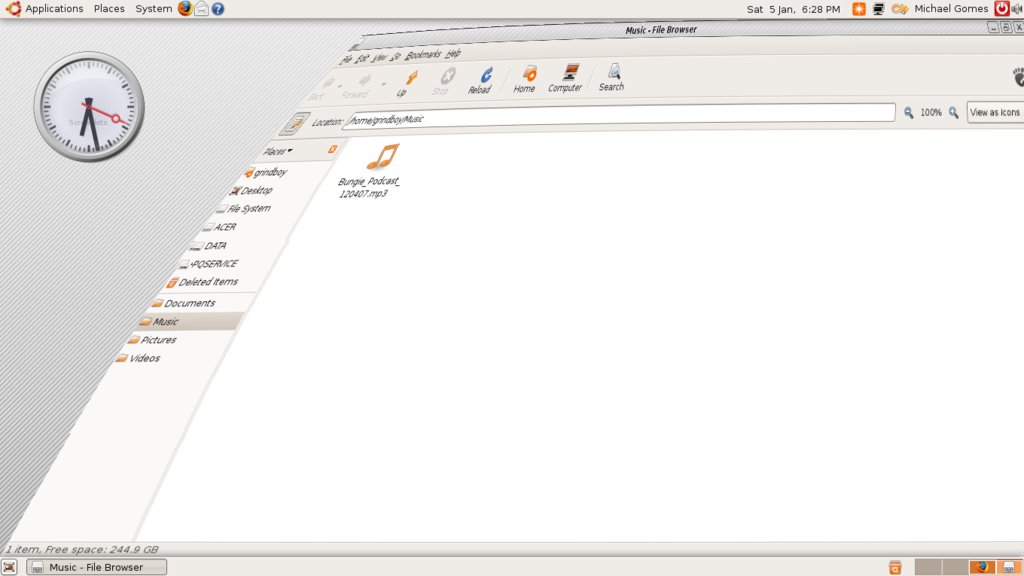
Now my windows are wobbly
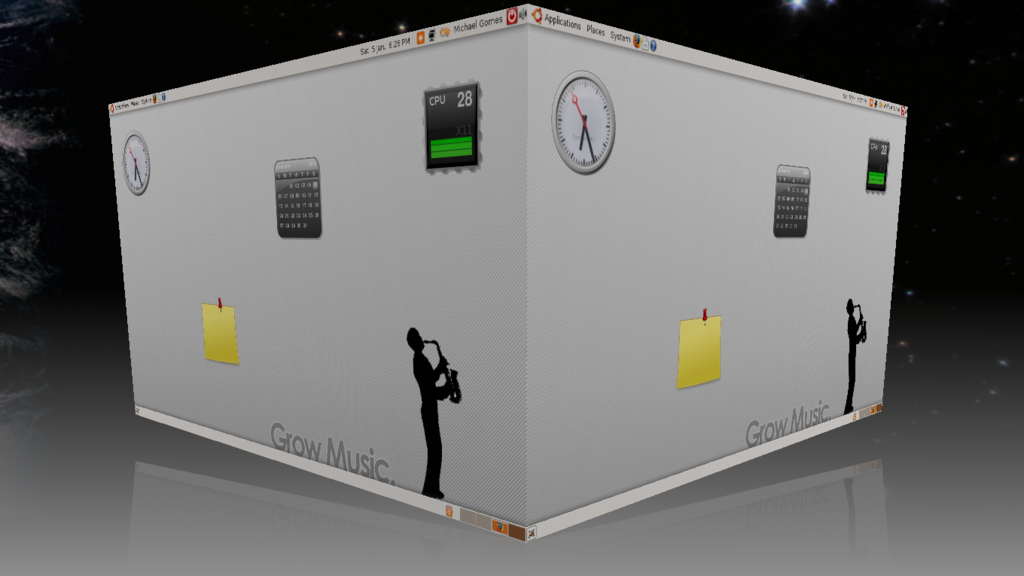
And my desktop cubed!
Thursday, 3 January 2008
Infinity + Freedom + Voice

So after looking around I plumped for Fedora Core 7 as my first Linux distro. The installation process was fairly quick but threw a fair amount of confusing Linux buzzwords at me. Eventually I had a working distro on my hands with only one problem, the internet. The modem I was using was a Sagem F@st 800 which is a USB ADSL modem, the only problem was this modem is notorious for not working with Linux. And with all things Linux, no drivers, no modem, no internet, no packages, no new programs and no fun. That wasn't a problem though as I had a fully working copy of Vista on the other partition. So I booted back into Vista. Nothing... The boot got as far as the progress boot screen then goes black. Rebooting several times didn't help and I had to reinstall Vista.
It didn't take long for me to get bored with Fedora so it wasn't too long before I removed it using a nifty little program called EasyBCD after just a few clicks Fedora was gone and the Windows BootLoader had once more taken back control.
As you can imagine it took me a while to try Linux again after the mess Fedora made of Vista, so when I did I stuck with LiveCDs
Subscribe to:
Posts (Atom)

